E-invoice validator for EN 16931 and XRechnung
Germany’s federal portal rejected your invoice? Correct it and send it again. Federal invoices need the buyer reference called (a routing reference for German authorities). Check this reference before sending. Rule sources: EN 16931 1.3.17 and XRechnung 3.0.2. Tested on 17 Nov 2026 with 2,406 CEN and 86 XRechnung test cases.
New to this? Explained in 30 seconds
An electronic invoice is a file that accounting software can read directly.
Missing invoice data can delay processing and payment.
This tool checks the file against the selected rules.
Correct the reported fields and check again before sending.
- Drop your file here
- See what is wrong and where
- Fix it and check again
From 1 January 2027, more German firms must send e-invoices
Your customer sends your first e-invoice of January back because their accounting software cannot read it. You fix it, send it again, and your money arrives later.
Who it affects: Companies that invoice other businesses in Germany and had more than €800,000 turnover in the previous year. For them the transition ends: paper or a plain PDF is no longer enough. With turnover up to €800,000, and for EDI, the transition runs until the end of 2027.
What stays the same: All German companies have had to be able to receive e-invoices since 1 January 2025. XRechnung 3.0 stays valid until at least 31 July 2027, according to KoSIT. The German finance ministry says a check is not a condition for deducting input VAT, but it is useful before sending.
Try the check with a sample invoiceRuns the check with a made-up invoice. Only that sample is sent to our server.
Sources (read on 18 November 2026): bundesfinanzministerium.de (FAQ E-Rechnung, 29.10.2026), § 27 Abs. 38 UStG, xeinkauf.de (KoSIT). This note is shown until 31 January 2027.
Common errors
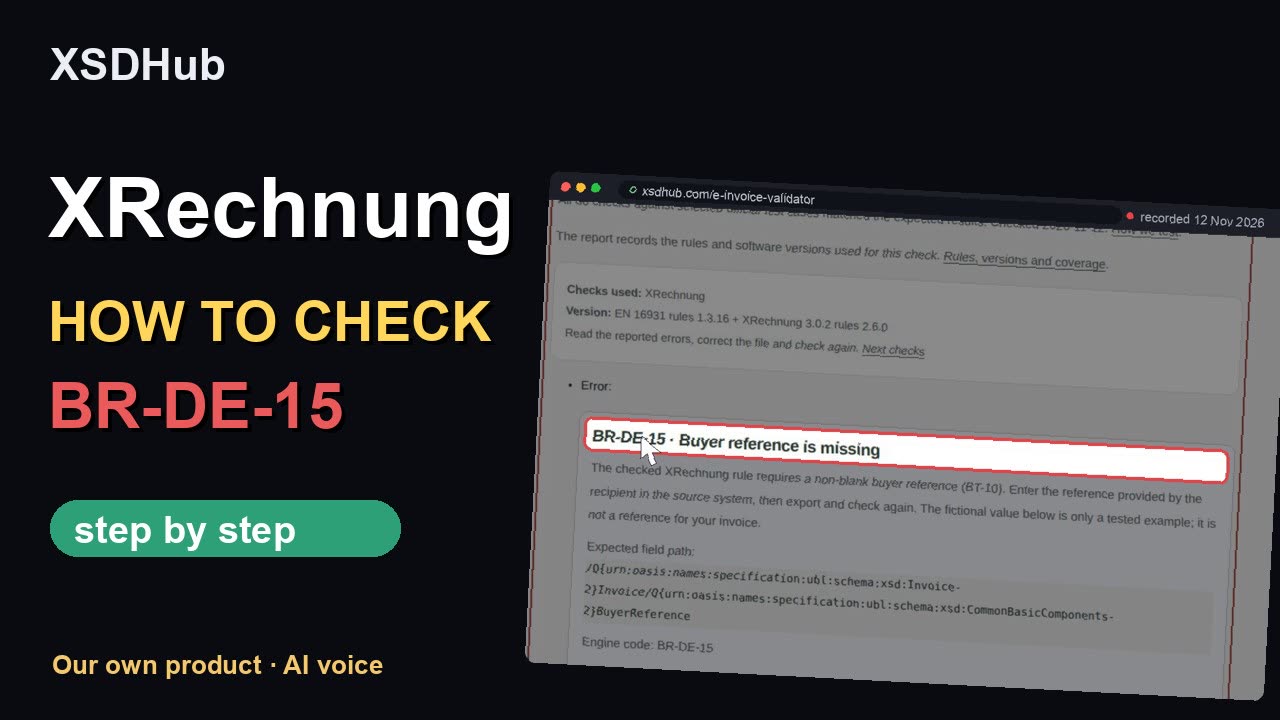
- Buyer reference is missing · BR-DE-15
- Seller contact details are missing · BR-DE-2
- File is not marked as XRechnung · BR-DE-21
Who this applies to
For invoices sent to German public bodies. Check the buyer reference before sending.
What XSDHub checks and what it does not
| What this checks | What this does not check |
|---|---|
|
|
Many invoices? Let your software check them automatically.
With Pro, your own software can send up to 250 invoices a day to our check through the API.
How to fill in · XRechnung
Before you start
Have the XML export from your invoicing software and the buyer’s instructions ready. Use UBL or CII. A PDF printout cannot replace the XML; export the electronic invoice from your software.
Steps
- Open the e-invoice validator. Under Rules, click change and choose XRechnung 3.0.2.
- Choose your XRechnung file (UBL or CII), or paste the XML. To try it first, pick Load example > XML with an error.
- Tick the consent box, then click Check invoice.
- Read the result card: rule, field, XML path, and a failing and a passing example.
- Fix the field in your software, export and check again.
Three errors to check first
- Buyer reference is missing · BR-DE-15 Ask the buyer for the routing reference and put it in BuyerReference.
- Seller contact details are missing · BR-DE-2 Add the invoicing contact to the seller record and export again.
- File is not marked as XRechnung · BR-DE-21 Choose the XRechnung export in your software, then check the new file.
A passed check means the selected rules passed. Confirm the buyer’s delivery requirements before sending the invoice.
The language of these instructions can differ from the controls shown. Keep the rule ID when asking a colleague for help.
Download PDF · EnglishVideo walkthrough
How to fill in · EN 16931
Before you start
Have the XML export from your invoicing software and the buyer’s instructions ready. Use UBL or CII. A PDF printout cannot replace the XML; export the electronic invoice from your software.
Steps
- Open the e-invoice validator. Under Rules, click change and choose EN 16931.
- Optional: pick the rule version by date.
- Choose your UBL or CII file, or paste the XML. Loading does not upload anything. To try it first, pick Load example > XML with an error.
- Tick the consent box, then click Check invoice.
- Read each finding: the engine code and, under Original engine message, what the rule requires.
- Note the rule version the report names, fix the field in your software, export and check again.
Three errors to check first
- Line net total must equal the sum of lines · BR-CO-10 Add the net amounts of the invoice lines and correct the line subtotal before VAT.
- VAT category must use an accepted code · BR-CL-18 Map your software’s tax code to the category required for this invoice, such as S or Z. Do not put a percentage in this field.
- Seller name is required · BR-06 Put the seller’s legal name in PartyLegalEntity/RegistrationName.
A passed check means the selected rules passed. Confirm the buyer’s delivery requirements before sending the invoice.
The language of these instructions can differ from the controls shown. Keep the rule ID when asking a colleague for help.
Download PDF · EnglishVideo walkthrough
“I did run into this and only found out after the damage was done. Would have been great to have this earlier.”
The result checks invoice structure, fields and totals against EN 16931, plus XRechnung 3.0.2 national rules 2.6.0 when you choose XRechnung. Each report names the version used. For final acceptance, send the corrected invoice through your recipient’s required channel and keep their response.
For Peppol delivery, ask your Peppol provider to check its rules and confirm delivery. We check official rule releases hourly; see the rule sources and checking details.
You can check an invoice up to 10 MB. If a check reaches a time or report limit, correct the reported errors and check the file again. For a larger invoice, contact support to arrange a check.
Pro US$9/month supports 25 files per batch; Team US$29/month supports 100. Existing plan limits apply; no separate invoice pricing. Batches run sequentially and can take several minutes. Compare plans.
EN 16931 guide · XRechnung guide · API, CLI and Actions documentation
Select EN 16931 for the fixed European semantic checks. Select XRechnung when the recipient asks for that German profile: it adds national constraints, including electronic addresses and buyer-reference requirements. A Leitweg-ID can be the buyer reference required for a German public recipient; confirm the actual recipient identifier instead of inventing one. Neither mode sends the invoice to a portal.
Snapshot checked on 2 November 2026. These dates describe selected scopes and transitions; the format accepted by a particular recipient still matters.
- EU public procurement: central receiving obligations from 18 April 2019, with a possible subcentral extension to 18 April 2020. EN 16931 itself is not a universal B2B mandate. Directive 2014/55/EU.
- Germany: federal B2G supplier obligations from 27 November 2020, subject to exceptions. Domestic B2B receipt from 1 January 2025; issuance transitions through 2027/2028 depend on turnover and exceptions. XRechnung is not the exclusive B2B format. Federal FAQ · BMF guidance.
- France: receipt for all businesses and issuance for large and intermediate businesses from 1 September 2026; issuance for small businesses and microbusinesses from 1 September 2027. Official timetable.
- Poland: KSeF issuance from 1 February 2026 for businesses above PLN 200 million 2024 sales; from 1 April 2026 for others, with a small monthly-sales transition through 2026 and exclusions. KSeF receipt from 1 February 2026. KSeF is a separate system and is not validated here. Official KSeF scope.
These examples show invoice errors that can appear together. Open a rule to find the affected field and try a correction.
- Standard VAT taxable base must match the lines · BR-S-08 (281 mutation reports)
- An invoice field is empty · PEPPOL-EN16931-R008 (111 mutation reports)
- Line net total must equal the sum of lines · BR-CO-10 (108 mutation reports)
- Each line needs a VAT category code · BR-CO-04 (77 mutation reports)
- Each invoice line needs an item name · BR-25 (72 mutation reports)
- Each invoice line needs an identifier · BR-21 (51 mutation reports)
- Item net price cannot be negative · BR-27 (51 mutation reports)
- Standard VAT lines need a positive VAT rate · BR-S-05 (39 mutation reports)
- Gross total must equal net total plus VAT · BR-CO-15 (34 mutation reports)
- Each invoice line needs a quantity · BR-22 (24 mutation reports)
Review a mixed invoice batch in this tab. Pro: 25 files; Team: 100. Existing account and Team workspace daily quotas apply. Team workspace sharing stays the same; this is not a separate client space.
Open Invoice triage · Pro / Team
The report lists the checks that passed. Open Additional checks for supported identifiers and signature checks. Check the PDF separately when required and keep the recipient’s response to confirm acceptance. See the remaining checks and how to run them.
Files and results stay in this tab's memory. No automatic download, saved session or extra server storage.
Consent applies to each supported file in the displayed batch. Changing files or a package clears consent. Duplicate bytes with the same package reuse their session result.
Next: Invoice viewer for a local readable view.
Check single fields: numbers, codes and totals
Check identifiers, code lists and document totals locally. Each result names its rule and source.
The local check sends no document or identifier to a register.
Identifier
Code list
Check document fields
Optional official register lookup
Offline certificate chain on this server
Certificate checks use the authenticated EU trust list. Certificate check details
The report includes source paths, amounts and certificate fingerprints. Review it before sharing.
Invoice check by email
An invoice in your inbox should not mean another round of manual checks. Forward its XML to check@xsdhub.com. The reply shows the rule code, affected field and rule version, so you can correct the invoice in your software.
For a PDF or (an invoice with PDF and XML) invoice, export its XML from your invoicing software and send that file. You can also check the PDF in the Factur-X validator.
Free: 3 invoices per day.
Replies arrive no sooner than 18 minutes after receipt, between 07:00 and 22:00 Amsterdam time. For an immediate result, use the invoice validator below.
After processing, we permanently delete the email and attachments from our mailbox. Pending checks stay for at most 24 hours. Codes derived from identifiers are deleted within 48 hours; only anonymous daily counts remain.
Active European rules: version 1.3.17. XRechnung and Factur-X checks use their official bundles with version 1.3.16.
Rule versions and sources
Rules and schema references: CEN / ConnectingEurope · EN 16931 1.3.17; KoSIT · XRechnung 3.0.2 / configuration 2026-08-31 / national rules 2.6.0 / EN 16931 1.3.16 (KoSIT configuration 2026-08-31). Check the result for the exact version used.
Schema and rule files (technical)
UBL 2.1 and UN/CEFACT CII D16B are different XML vocabularies for the European invoice model. UBL uses Invoice or CreditNote roots and separate aggregate/basic namespaces. CII uses CrossIndustryInvoice with trade agreement, delivery and settlement structures. A field has different element paths in the two syntaxes; translate business terms rather than renaming tags.
First repair one invoice and keep its passing output as a regression example. Then sign in with Pro for up to 25 XML files per batch, or Team for up to 100. Select files in the invoice validator, choose the same fixed package and consent to server processing for each selected invoice. Checks run sequentially with a visible per-file result; a passing first file does not establish that the whole batch passes. Compare plans and limits · Run a batch.
Invoice rejected? Check UBL or CII e-invoices against the official EN 16931 and XRechnung rules. See which field to fix before you send it again.
Invoice rejected after a rule update? See the changed fields and test an example with both versions. EN 16931 1.3.17 changes.
Technical details and sources
Checks against the official EN 16931 rules version 1.3.17 (UBL 2.1 and CII D16B), with XRechnung 3.0.2 national rules version 2.6.0 when selected. XSD structure is checked first. A pass covers these fixed technical rules; it is not certification or acceptance by a tax authority or recipient. Peppol has additional rules; the complete Peppol ruleset and transport checks are linked only. Some assertions bundled in the fixed XRechnung package carry PEPPOL identifiers; they remain part of that national package check and do not establish full Peppol validation.
All 2,492 checks against selected official CEN and KoSIT invoice test cases matched the expected results. Checked 11 November 2026. How we test.
What this checks
- XML structure and official EN 16931 business rules
- XRechnung national rules when XRechnung is selected
Rules and schema references: CEN / ConnectingEurope · EN 16931 1.3.17; KoSIT · XRechnung 3.0.2 / configuration 2026-08-31 / national rules 2.6.0 / EN 16931 1.3.16 (KoSIT configuration 2026-08-31). Check the result for the exact version used.